Skip the doc dance.
Stop the Notion → Google Doc → WordPress dance. Notipo publishes straight from Notion in 90 seconds — formatting intact, images uploaded, SEO handled. No copy-paste. No plugin chain.
The doc dance
Every post, the same seven steps.
You wrote your post once. Then you become a copy-paste robot for the next 40 minutes.
Without Notipo
With Notipo
How it works
Connect once. Publish forever.
Connect Notion + WordPress
Sign in with Notion (OAuth), then add a WordPress application password. Two clicks each. We never store your WordPress password.
Use our template (or your own)
Duplicate our Notion template — it has Status, Category, Tags, and Featured Image columns ready. Or map your existing database.
Change status to publish
Set a page's status to "Ready to Publish" or "Publish". Notipo handles markdown conversion, image upload, SEO, and the WordPress push.
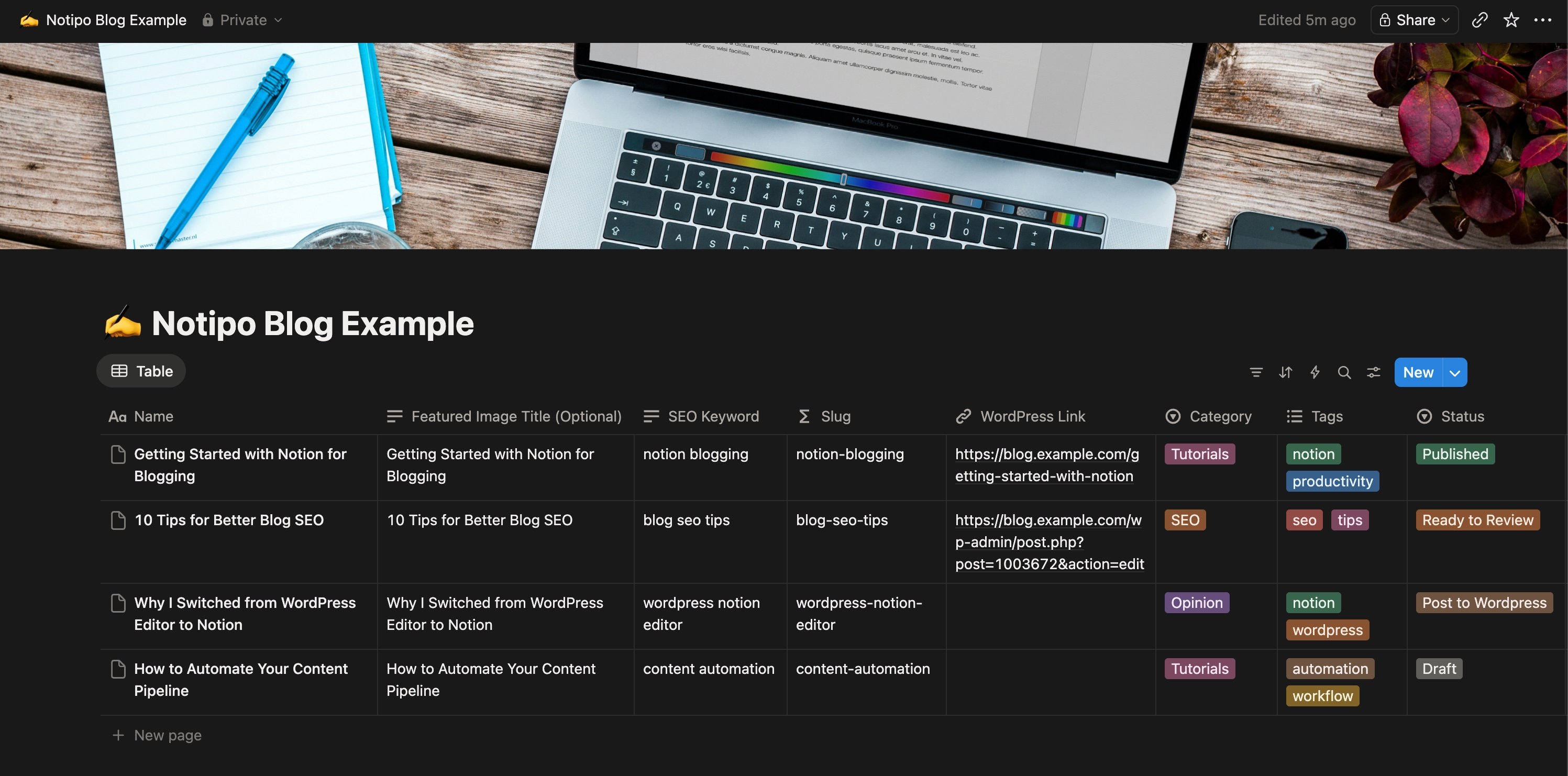
What survives the sync
Everything you wrote. Exactly how you wrote it.
Every block converts to a native Gutenberg block — no exported HTML, no “close enough” approximations.
Headings & lists
H1-H6, ordered, unordered, and nested lists all map to native Gutenberg blocks.
Code blocks
Language preserved, syntax highlighted with Prism or Highlight.js — your call.
Images
Uploaded to your WordPress media library at original resolution. No more hotlinking from Notion CDN.
Internal links
Notion page links convert to WordPress permalinks automatically.
Tables
Notion tables become Gutenberg table blocks — no manual HTML.
Callouts & quotes
Callouts become styled blockquotes. Quote blocks stay quote blocks.
SEO metadata
Title tag, meta description, focus keyword written directly to Rank Math.
Featured images
Pick the cover from Notion, or let AI generate a custom one (Pro).
Pricing
One price, three transports, zero plugins.
Start free. Upgrade for unlimited posts and featured images. Or self-host the open-source stack on your own infra — same APIs, same agents, your data.
Free
Personal blogs and getting started.
- 5 posts per month
- MCP server, REST API, CLI
- One-click WordPress setup
- Markdown editor + Notion sync
- Code highlighting + SEO metadata
Pro
Serious publishers and AI agent builders.
- Unlimited posts
- AI + Unsplash featured images
- Notion sync triggers + sync_now
- Priority MCP / API rate limits
- Email support
No credit card required
Self-host
Run Notipo on your own infrastructure.
- Full source on GitHub
- Docker images on ghcr.io
- Bring your own Postgres + WP
- Same MCP / REST / CLI surface
- Community support
All plans include the full MCP server, REST API, and CLI. Cancel anytime — your posts stay on WordPress.
FAQ
Notion writers ask
How is this different from Notion's native publish?
Will my Notion formatting survive the sync?
Do I have to install a WordPress plugin?
How does the 90-second promise work?
What if I cancel?
Can I edit a post after it's published?
Skip the dance. Publish in 90 seconds.
Write in Notion. Change a status. Notipo handles the rest. 7-day Pro trial — no credit card.
Start free