From Python Script to App: How an n8n Workflow Became Notipo
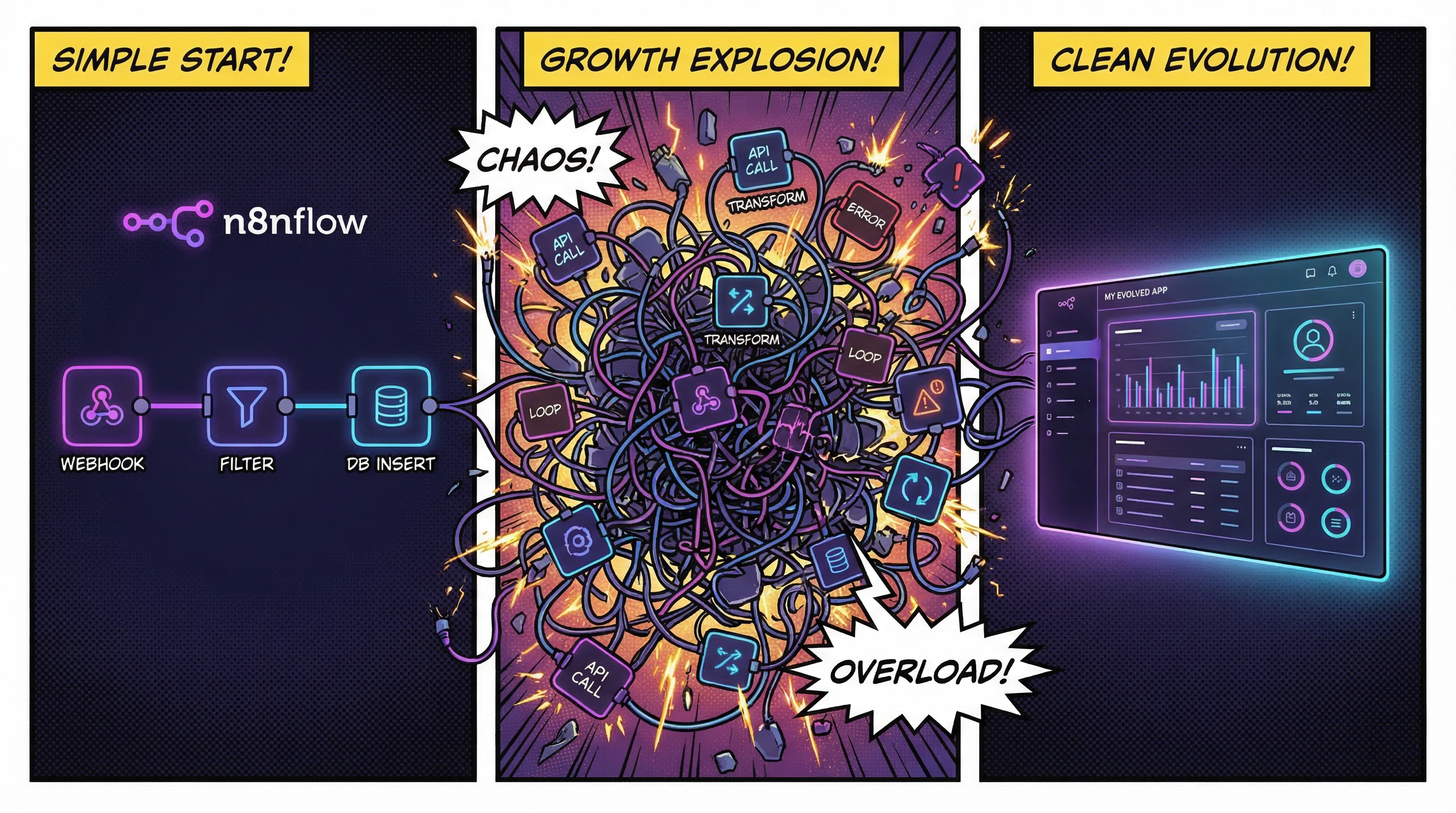
Notipo didn't start as a product. It started as a Python script that saved me 10 minutes every time I published a blog post. Over the course of a year, that script grew into an n8n workflow, then a sprawling multi-workflow automation, and finally into the app you see today. This is the story of that evolution and why I eventually scrapped it all and wrote code from scratch.
Phase 1: A Python Script for Featured Images
It started with a simple annoyance. Every blog post needed a featured image, and I was creating them manually in Canva. Same layout every time — background image, title text, category label. Twenty minutes of dragging text boxes around for something that should be automatic.
So I wrote a Python script using Pillow. It read titles and categories from a CSV file and generated 1200×628 PNG images with a background, a semi-transparent overlay, and styled text. Run the script, get your images. Done.
It was crude — you had to manually edit a CSV and run a command — but it worked. For the first time, featured images went from a 20-minute chore to a 30-second script execution.
Phase 2: Discovering n8n
Around this time I discovered n8n, the open-source workflow automation tool. The visual interface was addictive — you could wire together API calls, data transformations, and webhooks without writing glue code.
I connected Airtable to n8n and turned my Python script into an API endpoint. Now the flow was: fill out an Airtable form with the post title and category, n8n picks it up, calls the Python API, and stores the generated image in MinIO (S3-compatible storage). No more CSV editing, no more running scripts manually.
This felt like magic. But it only solved the featured image problem. I was still writing posts in Notion and manually copy-pasting them into WordPress.
Phase 3: The Full Notion-to-WordPress Workflow
The manual publishing process went like this: write the post in Notion, copy the content, paste it into the WordPress editor, realize all the code blocks are plain <pre> tags without syntax highlighting, manually swap every code block to Prismatic blocks, fix the quote formatting, fix the heading hierarchy, upload inline images one by one, create a featured image, set the SEO metadata, and finally hit publish. Every single post. Fifteen to twenty minutes of tedious work after the writing was already done.
I decided to automate the entire thing in n8n. The idea was simple: change a status in Notion, and everything else happens automatically.
The reality was not simple at all. The workflow grew to handle:
- Markdown conversion — pulling content from Notion's API, converting blocks to Markdown, then converting that Markdown to proper Gutenberg blocks (not just HTML, but the WordPress block comment syntax)
- Code block transformation — detecting fenced code blocks and wrapping them in Prismatic plugin blocks with language detection, because WordPress's built-in code block has no syntax highlighting
- Image caching — Notion's image URLs expire after an hour, so every inline image had to be downloaded and re-uploaded to the WordPress media library, with a mapping table to avoid duplicate uploads on updates
- Orphan cleanup — when you remove an image from a Notion post and re-sync, the old image in WordPress needs to be cleaned up
- Featured image generation — calling the Python API to create a branded image, uploading it to WordPress, and attaching it to the post
- SEO metadata — setting Rank Math focus keyword, title, and description via the REST API
- Status management — updating the Notion page status after each operation and writing the WordPress URL back to a Notion property
I ended up with two routing paths inside the workflow: F1 for posts without inline images (simpler, just content and featured image) and F2 for posts with inline images (the full image caching pipeline). Each path had its own sub-flows for creating new posts versus updating existing ones.
Airtable sat at the center of everything. It had five interconnected tables — variables, featured images, posts, categories, and image mappings — acting as both the database and the orchestrator. The n8n workflow read from and wrote to Airtable at almost every step.
Where It Broke Down
The automation worked. Posts went from Notion to WordPress with a status change, exactly as planned. But living with it day-to-day revealed problems that no amount of n8n nodes could fix.
The execution log was useless
I was using polling to detect Notion status changes. Every few minutes, n8n would check for updates, find nothing, and log a successful execution. When I actually published a post and wanted to see what happened, I had to scroll through pages of empty “success” runs to find the one that actually did something. There was no way to filter meaningful executions from the noise.
Airtable was an expensive dependency
Airtable cost about $24 per month. For what? Storing a few hundred rows of post metadata and image mappings. It was a spreadsheet acting as a database, and I was paying a premium for the privilege. Every API call to Airtable added latency to the workflow, and I was making dozens of calls per post sync.
The complexity was unmanageable
The workflow had 50+ nodes spread across multiple paths. Debugging meant clicking through node after node, inspecting JSON payloads, tracing which branch a post took. When something failed, the error message might point to a generic HTTP node buried three levels deep in a sub-flow. Adding a new feature — like supporting a different code highlighter — meant touching nodes in multiple places and hoping you didn't break an existing path.
n8n is an incredible tool for connecting APIs and building automations. But there's a complexity threshold where a visual workflow becomes harder to reason about than code. I had crossed that threshold a long time ago.
Rebuilding as an App
I decided to rebuild the entire thing as a proper application. Not because n8n was bad — it had served me well and taught me exactly what the automation needed to do — but because the problem had outgrown what a workflow builder could handle cleanly.
The new stack: a Fastify backend with PostgreSQL (replacing Airtable), a pg-boss job queue (replacing n8n's execution engine), and a Next.js frontend for configuration and monitoring. The entire Gutenberg block converter — originally a massive n8n Code node — became a proper TypeScript module with tests. The image caching pipeline became a service with clear inputs and outputs instead of a chain of HTTP nodes.
Every pain point from the n8n era had a direct solution:
- Noisy execution logs — the job queue only creates entries for actual work (syncs, publishes), not empty polls. The dashboard shows real-time progress with step-by-step status updates.
- Airtable costs — PostgreSQL with Prisma. Zero monthly cost for the database layer. All the relational integrity I was missing in Airtable.
- Debugging complexity — proper error handling, structured logging, and a jobs page that shows exactly what failed and why. Stack traces instead of JSON node outputs.
- Feature development — adding support for a new code highlighter is changing one switch statement, not rewiring workflow paths.
The Python featured image script that started this entire journey also got ported — rewritten in TypeScript using sharp and @napi-rs/canvas. One less external service to maintain.
What n8n Taught Me
I don't regret the n8n phase at all. Building the workflow forced me to understand every edge case of the Notion and WordPress APIs before writing a single line of application code. I discovered problems I never would have anticipated — like Notion's expiring image URLs, or the fact that WordPress blockquotes need different formatting than Notion's, or that Rank Math SEO fields require specific REST API endpoints that aren't documented in the main WordPress API reference.
The n8n workflow was a prototype that happened to run in production. By the time I sat down to write the app, I had a complete specification built from months of real usage. I knew exactly what the app needed to do because the workflow had already done it — just not cleanly enough to maintain.
From Personal Tool to Product
Once the app was stable and I was using it for my own blog, a thought kept nagging: other people have this exact same problem. Anyone writing in Notion and publishing to WordPress is going through some version of the same pain — copy-pasting, fixing formatting, re-uploading images, manually setting SEO fields.
So I added multi-tenancy, authentication, an onboarding flow, Notion OAuth, and Stripe billing. The personal automation tool became Notipo.
The core automation is the same one I built for myself. Change a Notion status to “Post to Wordpress” and the app converts your content to Gutenberg blocks, uploads all images to your WordPress media library, generates a featured image, applies Rank Math SEO metadata, and creates a WordPress draft. Change it to “Publish” and the draft goes live. That's it.
Lessons for Anyone Automating with n8n
If you're building something similar, here's what I learned:
- n8n is perfect for prototyping — you can validate an idea in hours instead of days. Use it to figure out what your automation needs to do before you decide how to build it.
- Watch for the complexity cliff — there's a point where adding one more node makes the whole workflow harder to understand. If you find yourself dreading opening the workflow editor, you've passed it.
- Paid dependencies add up — every external service in your workflow is a monthly cost and a point of failure. Evaluate whether a simple database or a self-hosted alternative would work just as well.
- Polling is a poor man's webhook — if your workflow relies on polling, you'll spend more time filtering noise than processing real events. Look for webhook-based triggers whenever possible.
- The workflow is the spec — if you do outgrow n8n, your workflow is the most detailed specification you could ask for. Every node, every branch, every edge case is documented in the flow itself.
Try It Yourself
If you're currently writing in Notion and copy-pasting into WordPress — or if you've already started building your own n8n workflow to automate it — give Notipo a try. The free plan covers 5 posts per month with code highlighting and SEO automation. The Pro plan adds unlimited posts, featured image generation, webhooks, and instant sync.
It took me a year of incremental automation to get here. You can set it up in 5 minutes.
Ready to publish from Notion?
Set up in 5 minutes. Free plan available — no credit card required.
Get Started Free